Your words,
on the wall,
when the scrolling starts.
Pick the apps that take your time. Set a daily allowance. Write down what you'd rather be doing. When you cross the line, timre shows you a wall — your goal, your reason, a photo of who it's for. Not a lecture. A reminder from you, to you.
Which apps you open, and for how long, is measured on your phone and stays there.
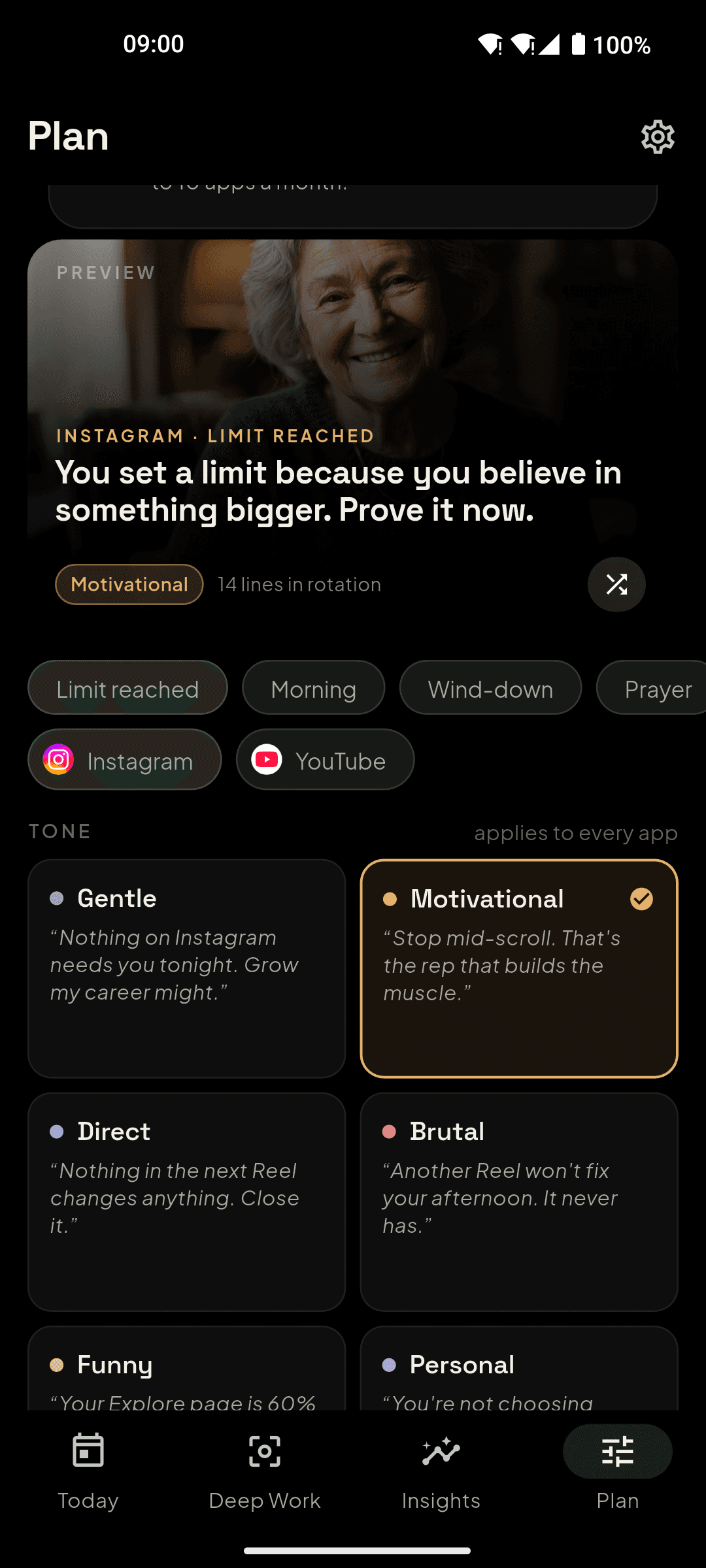
timre is a free Android app that limits your time in apps you choose and, when you reach the limit, shows a full-screen reminder written in your own words — your goal, your reason, and optionally a photo of who it's for.
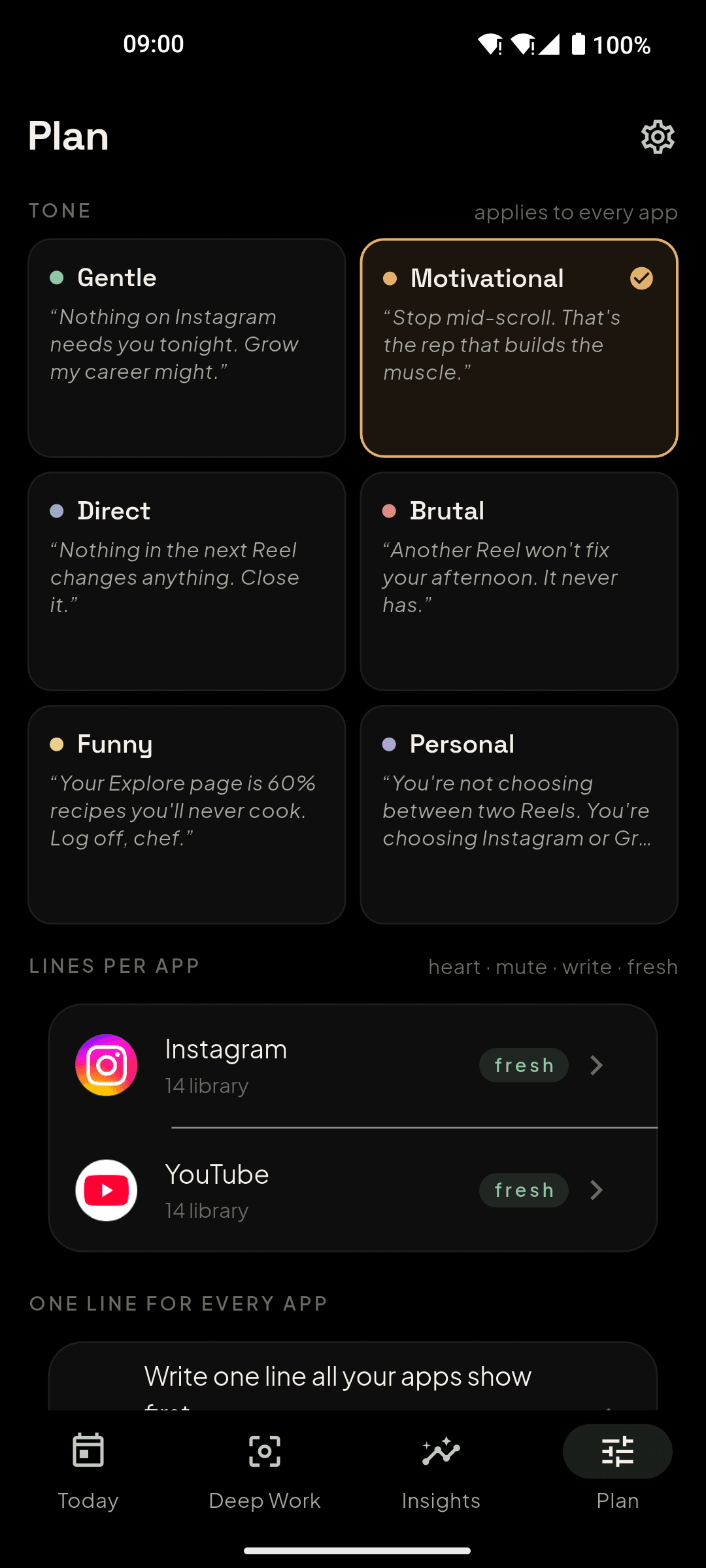
Unlike a generic block screen, every wall in timre speaks in the user's voice: the goal they typed, the reason they gave, a photo they chose, and a library of lines written for what each specific app does to a morning or an evening. Six tones, from gentle to brutal.
Platform. Android 8.0 and later. An iPhone version is not available yet. Price. Free to start. Pro is a subscription (price shown in the app) that removes the two-app cap, adds Deep Work presets and up to three photos, generates fresh reminder lines per app each month, and works across every phone you sign in to.
Privacy. Which apps you open and for how long is measured on the phone and never uploaded. Only daily totals per monitored app sync to your account. Photos are stored in a private bucket only your account can read.
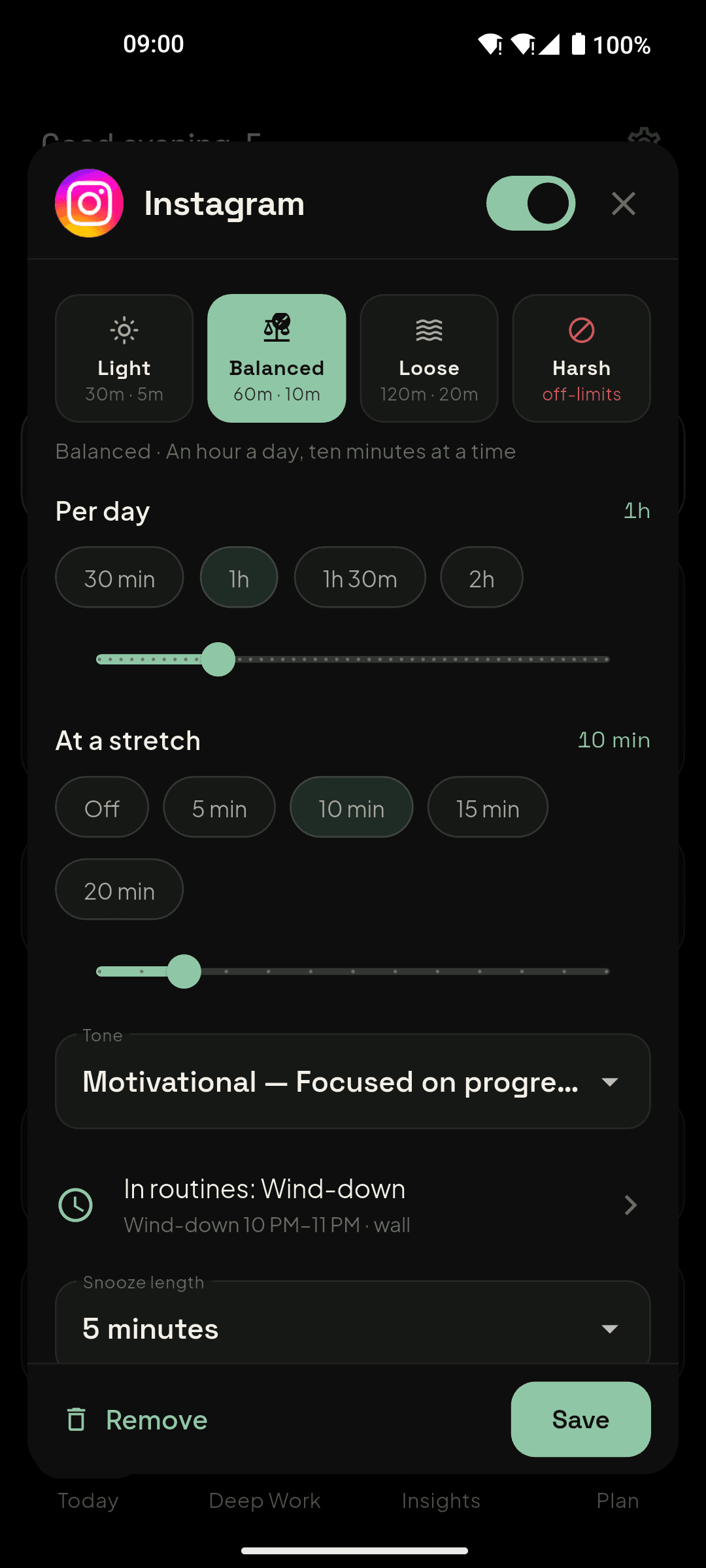
- Daily time limits per app with a short stretch allowance, or Harsh mode (off-limits, no snooze, and a deliberate delay before it can be turned off).
- Routines: recurring windows such as Morning and Wind-down where chosen apps are walled or nudged.
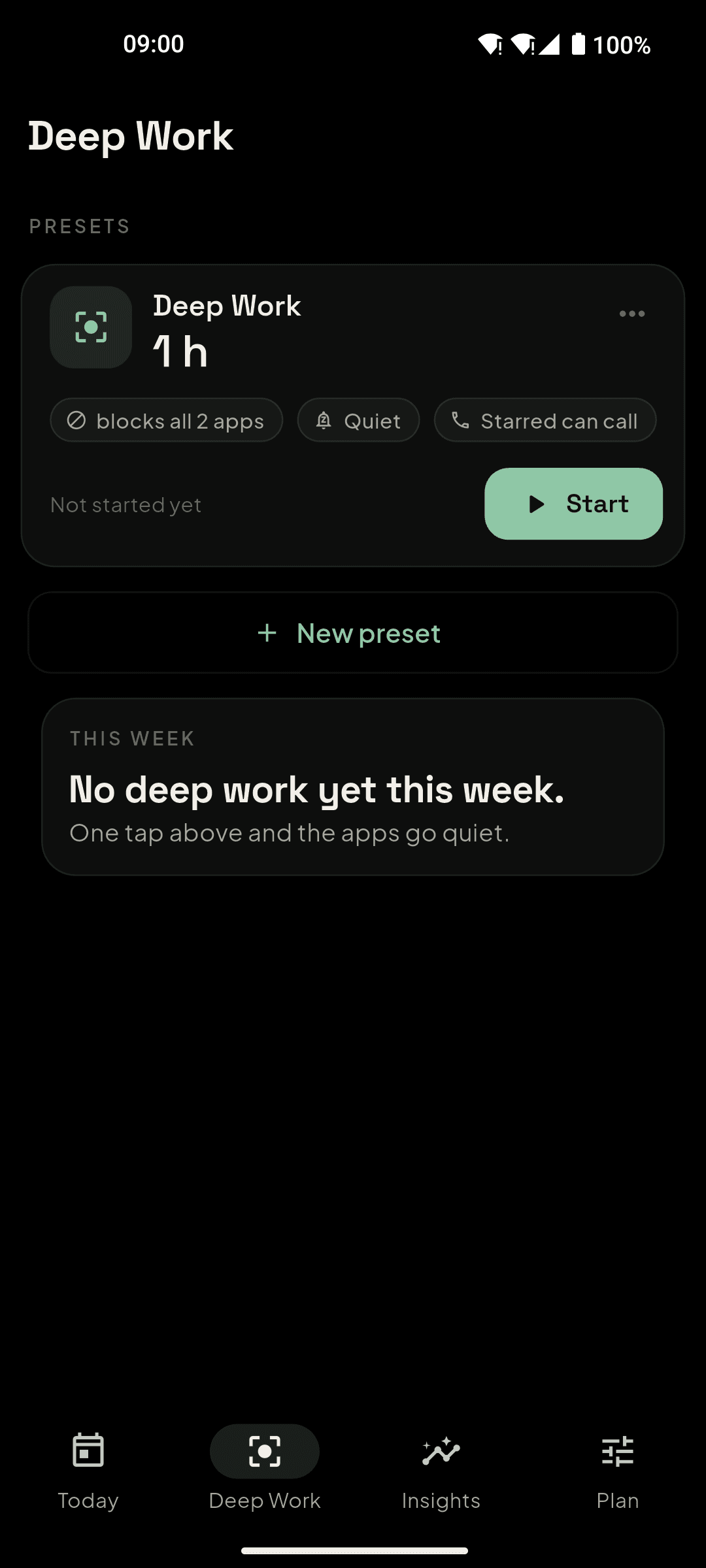
- Deep Work: block chosen apps for a session, quiet notifications, let starred contacts call through, and see how many attempts were stopped.
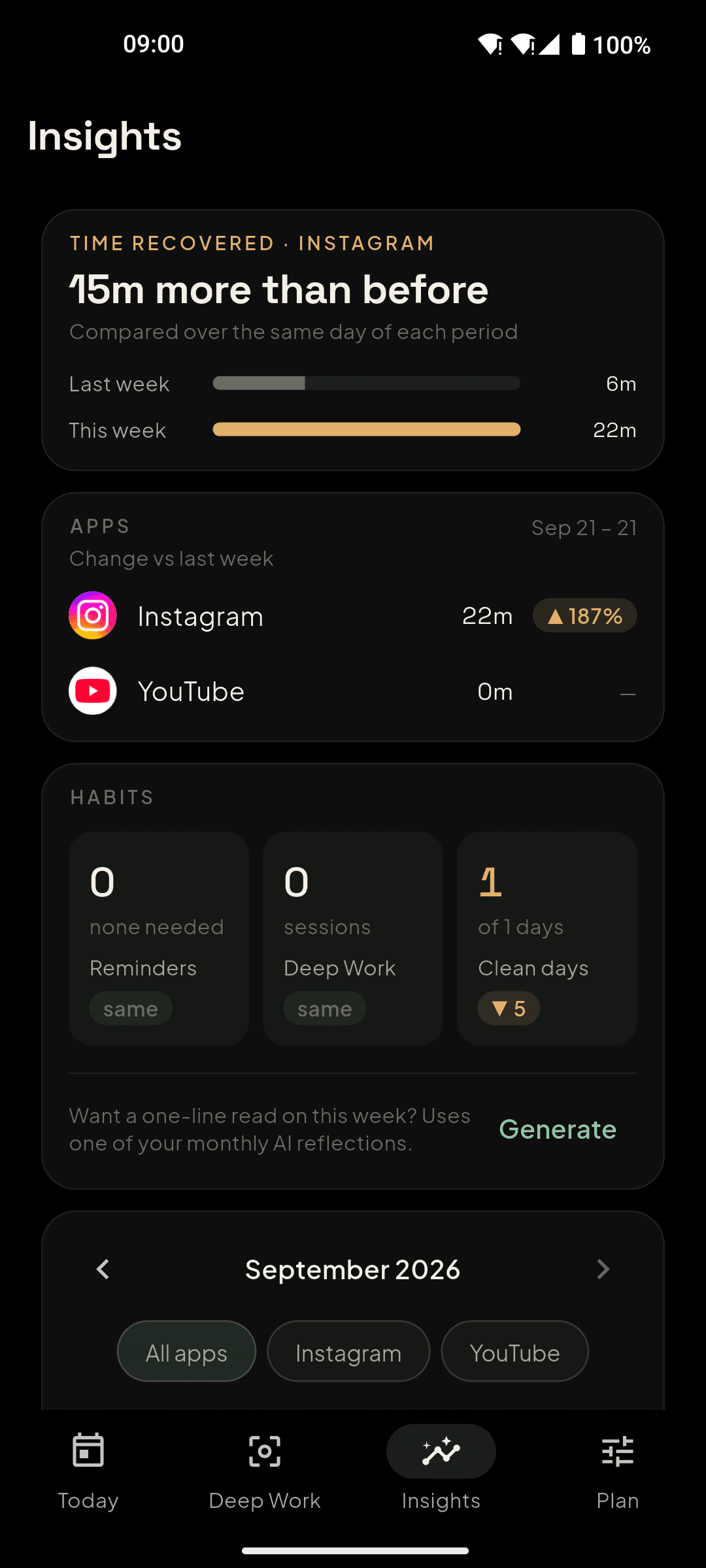
- Streaks for days every budget was kept, and Insights showing time per app week over week.
- A message library per app and per tone, your own lines, and optional AI-generated batches in your voice.
- Sign in with Google to back up and sync your plan; raw usage never leaves the phone.
Three minutes to set up. A different relationship with your phone by tonight.
Choose the apps and the allowance
Instagram, YouTube, X, games — whatever eats the hours. Light, Balanced, Loose, or Harsh (off‑limits). Your call, one tap.
Say what matters more
One line — the exam, the business, the family — and optionally a photo of who it's for. That's what the wall will say.
Meet the wall, in your own voice
At the limit, the app fades behind your words. Close it, take five more minutes, or admit you need it — honestly logged, never judged.
Built to be kind on a bad day and firm on a weak one.
Limits that mean it
A daily budget with a short stretch when you truly need one — or Harsh mode: every open shows a wall, no snooze, and turning it off takes a deliberate pause so an impulse can't undo a decision.
Routines
Morning and wind‑down windows that protect your first and last hour. Walls speak about the time of day, not just the app.
Deep Work
Block the distracting apps for a block of time, quiet notifications, let starred people through. See how many attempts you stopped.
Lines that don't wear out
Every app starts with lines written for what it does to you — Instagram at midnight isn't X at lunch. Six tones, from gentle to brutal. Write your own, or let AI draft a batch in your voice.
Streaks and honest insights
Days you kept every budget. Where the time went, week over week. A streak mark that fills as today's allowance survives.
Yours, on every phone
Sign in with Google and your goal, limits, routines and photo follow you to a new device. Raw usage never leaves the phone.
Designed so opening it feels like a breath, not a dashboard.
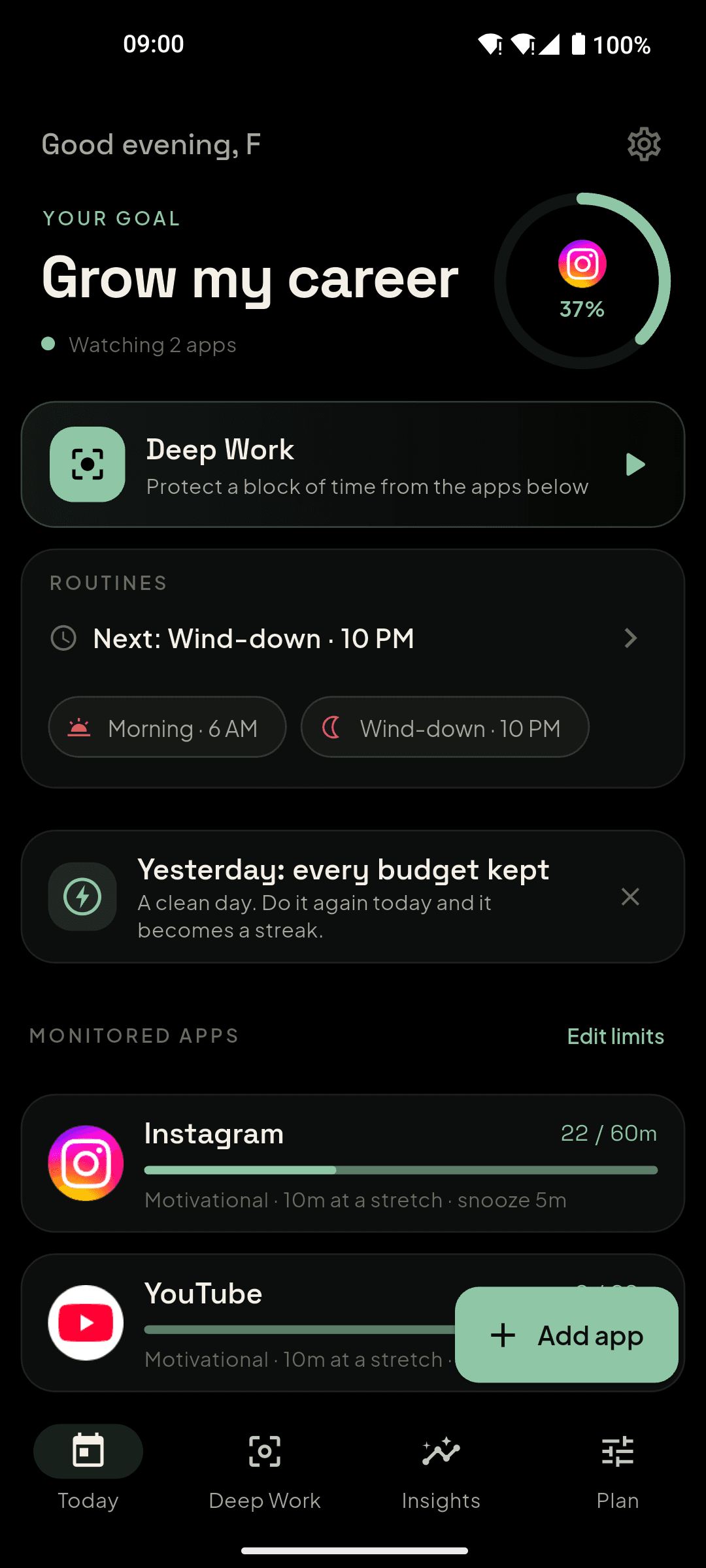
Everything that would embarrass you.
Which apps you open and for how long is measured on the device and never uploaded. Only daily totals per app sync to your account so your history survives a new phone. Your photos live in a private bucket only you can read. AI features get your goal and tone — never your activity.
Read the privacy policy- Raw app usageOn your phone only
- Daily totals per appSynced to your account
- Goal, limits, routines, toneSynced to your account
- Your why photosPrivate bucket, only you
- Contacts, location, messagesNever collected
Not yet. Tell us if you'd want it.
timre is Android‑first. Apple's Screen Time rules make the wall a different experience on iPhone, so we're proving the idea on Android before we build it properly there. Leave your email and you'll hear the day it exists — nothing else.
Honest writing about the problem — useful even if you never install anything.
Is there an app that blocks Instagram and reminds me of my goals?
Yes. timre for Android limits Instagram (or any app) and, at the limit, shows a full-screen reminder in your own words — your goal, your reason, a photo of who it's for.
An app blocker that shows a photo when you open an app
timre shows the photo you chose — a person, a goal, a place — full-screen the moment you cross your limit in an app. Android, free to start.
A screen time app with custom messages instead of a generic block screen
How to make a block screen you'll actually listen to: your own words, six tones, lines written per app. timre for Android does this by default.
How to stop doomscrolling on Android (what actually works)
A practical, honest guide: friction beats willpower, walls beat notifications, and why your own reason on the screen matters more than any timer. Tools included.
The next scroll is a choice. Make it yours.
Free to start. Pro unlocks more apps, more photos and fresh lines every month.
Requires Android 8.0 or later. Open on Google Play